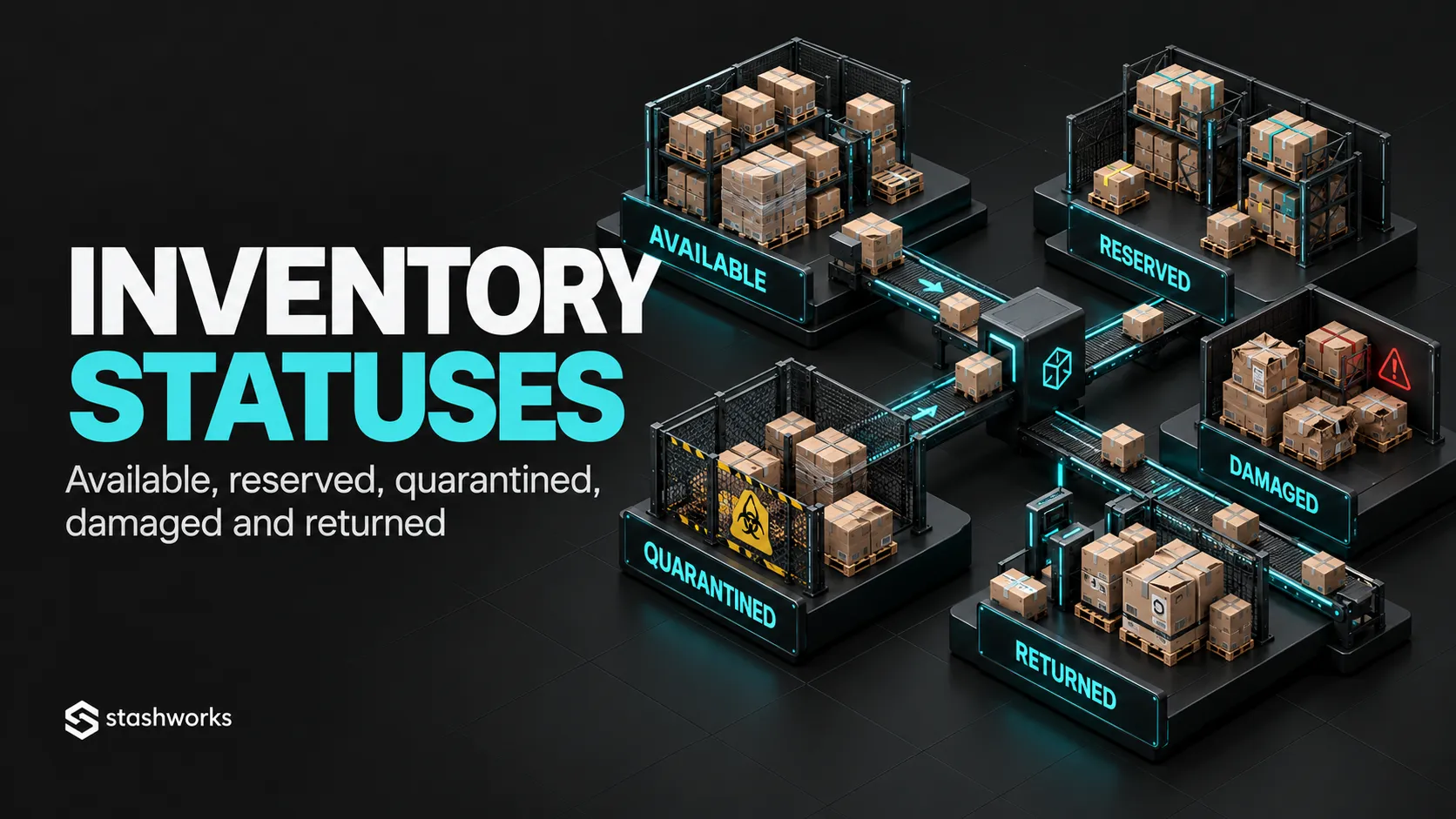
Inventory quantity is not one number. A warehouse can physically hold 1,000 units while only 700 are genuinely available for sale. The rest may be reserved for orders, damaged, quarantined, returned or awaiting a decision.
Inventory statuses make those differences explicit so commercial and warehouse teams do not promise stock that should not be sold.
Start with physical ownership versus sellable availability
“On hand” describes what physically exists at a location. “Available” describes the portion that can be promised to new demand. The difference matters because stock can remain physically present while being unavailable for operational reasons.
Shopify currently models on-hand inventory as the total of available, committed and unavailable quantities, with incoming tracked separately.
Available means ready to promise
Available stock is inventory that the operation is willing to allocate to new orders. It should have completed receiving, passed required checks and not already be reserved or blocked.
The definition should be consistent across warehouse, storefront and marketplace systems.
Reserved or committed means already promised
Reserved inventory is stock set aside for an order or another known demand. Shopify uses the term “Committed” for units tied to unfulfilled orders, draft-order reservations or certain transfers.
A warehouse may use different terminology, but the business should know when a unit stops being available to other channels.
Quarantined means physically present but blocked
Quarantine is useful for stock that should not enter normal fulfilment until an investigation or approval is complete. Examples include suspected damage, quality concerns, unverified inbound discrepancies or regulatory holds.
Microsoft's warehouse documentation supports inventory statuses that can block stock from reservation and shipping, illustrating the operational purpose of a controlled status rather than a note in a spreadsheet.
Damaged stock needs its own state
Damaged units should be separated from saleable stock physically and in the system. The status should prevent ordinary picking while the business decides whether the item will be repaired, written off, returned to supplier or otherwise disposed of.
Stashworks' current Warehousing page describes receiving, stock management and connected inventory visibility as part of the warehouse operation.
Returned does not automatically mean available
A returned unit has a different history from untouched stock. It may need inspection for condition, completeness, tampering, expiry or packaging before being restocked.
Keep “returned awaiting inspection” separate from “approved for resale” where the operation requires that distinction.
Incoming stock is not yet available
Inventory on a purchase order, truck or transfer can help replenishment planning, but it should not be treated as ordinary warehouse availability before receiving is complete.
Shopify's Incoming state similarly represents inventory moving toward a location but not yet available to sell.
Picked stock may deserve an operational sub-state
Some WMS workflows distinguish reserved, allocated, picked, packed and shipped quantities. These sub-states help operations understand where an order sits even though the stock is already unavailable for new demand.
The commercial system does not always need every warehouse sub-state, but the WMS should know enough to control the physical process.
Use status transitions, not manual quantity tricks
If 10 damaged units are discovered, the safer action is usually to move them from available to damaged or unavailable rather than reducing total stock to hide them.
Status transitions preserve the fact that the units still exist physically.
Document which roles can change status
Not every warehouse user should be able to release quarantine, write off stock or return damaged units to saleable inventory. Sensitive transitions should require approval or evidence.
Track why the status changed
A status without a reason code becomes difficult to investigate. Record cause, reference, user and timestamp for adjustments where the system supports it.
Keep system labels mapped across platforms
A marketplace may use “reserved”, an ecommerce platform may use “committed”, and the WMS may use another term. Create a mapping that states which concepts are equivalent and which are not.
The goal is conceptual consistency, not identical vocabulary.
Use statuses to prevent overselling
Only the portion of inventory defined as sellable should feed channel availability. Safety stock, quarantined units, damaged items and customer returns awaiting inspection should not silently inflate the number advertised online.
For channel-level controls, see How to Manage Inventory Across Shopify, Shopee, Lazada and TikTok Shop.
Use statuses in reconciliation
When system inventory and physical count disagree, reconcile by state as well as total quantity. A total of 100 can appear correct even when 10 damaged units are incorrectly shown as available.
Design the minimum status set the operation actually needs
Too few statuses hide important differences; too many create unnecessary manual work. Start with the decisions the business must make and add a distinct status only when it changes whether or how stock can be used.
Where Stashworks fits
Stashworks' Warehousing and Technology pages describe receiving, inventory movement, stock visibility and WMS-supported fulfilment. The exact status model available for a specific account should be confirmed during solution design rather than assumed from generic warehouse terminology.
Sources: Shopify Help Center, Understanding Inventory States; Microsoft Learn, Inventory Statuses; Stashworks, Warehousing.