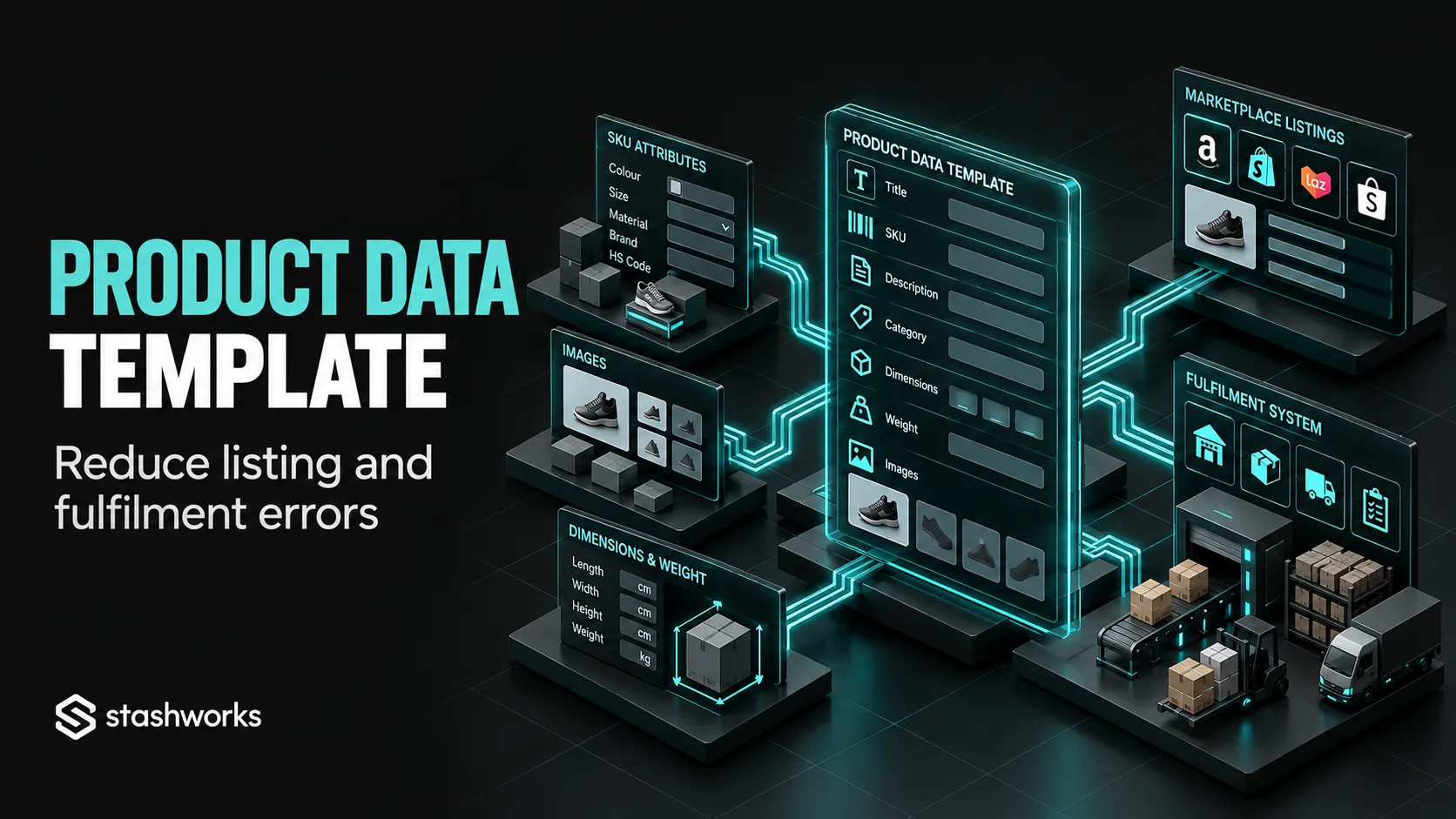
A marketplace product-data template is more than a spreadsheet for copying titles and descriptions. Done properly, it becomes the bridge between the product a customer sees online and the physical item the warehouse must identify, store and ship.
The objective is to capture stable product facts once, separate them from channel-specific content, and make missing or inconsistent data visible before a listing goes live.
Start with a stable product identifier
Every sellable unit or variant needs an internal identifier that does not change just because a title, campaign or marketplace changes. For most ecommerce operations, that role is performed by the SKU.
Shopify's current product documentation recommends unique SKUs for effective tracking and sales reporting. Whatever system the brand uses, the principle is the same: one internal SKU should refer to one specific sellable configuration.
Separate product identity from merchandising content
The template should distinguish fields that define the product from fields that help sell it. Internal SKU, barcode, variant, pack size and physical dimensions belong to the identity and operations layer. Marketplace title, bullet points, search terms and promotional copy belong to the merchandising layer.
This separation prevents a content rewrite from accidentally changing an operational field.
Include the physical data the warehouse needs
Marketplace teams often focus on visible content while leaving dimensions, weight and pack configuration incomplete. Those fields can affect receiving, storage, packaging and shipping, so they should be part of the master template even when a marketplace does not require them.
At minimum, capture the unit dimensions, packaged dimensions where relevant, weight, units per pack, barcode status and any special handling information that has been confirmed.
Make variant logic explicit
Do not represent variants through informal text alone. Create dedicated fields for option type and option value, such as colour = black or size = medium, then link every variant to its own internal SKU.
This reduces the chance that a marketplace variation called “Large / Blue” is accidentally mapped to the warehouse record for “Medium / Blue”.
Add channel-specific columns without duplicating the whole catalogue
A useful template can keep one core product section followed by marketplace extensions. Each channel can then have fields for listing ID, seller SKU, category, title, status and other attributes that genuinely differ.
Use controlled values wherever possible
Free-text fields create hidden inconsistency. If one team writes “1pc”, another writes “1 unit” and a third writes “single”, a simple pack-size field becomes difficult to validate.
Use controlled values for attributes such as status, country of origin, unit of measure, variant type and approval state. This makes validation and bulk updates easier.
Validate mandatory fields before listing creation
Create a readiness check that prevents incomplete products from moving into listing production. The exact required fields vary by product and platform, but the internal standard should usually be stricter than the minimum marketplace form.
A listing may technically publish without a warehouse mapping, for example, but that does not mean the operation is ready to receive an order.
Link the template to inventory and fulfilment controls
The product-data template should identify the warehouse SKU and any product attribute needed for fulfilment. This is especially important for bundles, multipacks and products with visually similar variants.
The existing article Order Accuracy: How Ecommerce Brands Reduce Picking and Packing Errors explains why product identification problems often surface later as picking or packing errors.
Define how changes are approved
Not every person with access to a spreadsheet should be able to change every field. Assign owners for operational data, commercial content and regulated or sensitive product information.
When a critical field changes, record what changed, who approved it and which channels or systems require an update. A basic change log is often enough to prevent conflicting versions.
Reconcile the template against the live marketplaces
A master file is useful only if it reflects reality. Schedule periodic checks for missing listings, duplicate SKUs, mismatched variants, outdated titles, discontinued products and channel records that no longer correspond to the warehouse catalogue.
For brands with many channels, prioritise high-volume products and recent changes rather than trying to inspect the entire catalogue manually every day.
Use the template as the handoff to an external operator
Stashworks' current Ecommerce Enablement onboarding process asks for relevant products, variants, SKUs and catalogue information before platform workflows are configured. A structured product-data template gives both parties a cleaner starting point.
The provider can then focus on the agreed listing and marketplace work without having to infer core product facts from inconsistent source files.
The template should reduce questions, not create another system to maintain
Keep it only as detailed as the operation requires. The goal is to remove ambiguity at the points where products move between commercial teams, marketplaces, integrations and the warehouse.
If the template becomes a large manual database that duplicates information already governed reliably elsewhere, use it as an export or control sheet instead of creating another source of truth.
Sources: Stashworks, Ecommerce Enablement; Shopify Help Center, Product details; Shopify Help Center, Inventory bulk editor fields; Amazon Singapore Seller University.