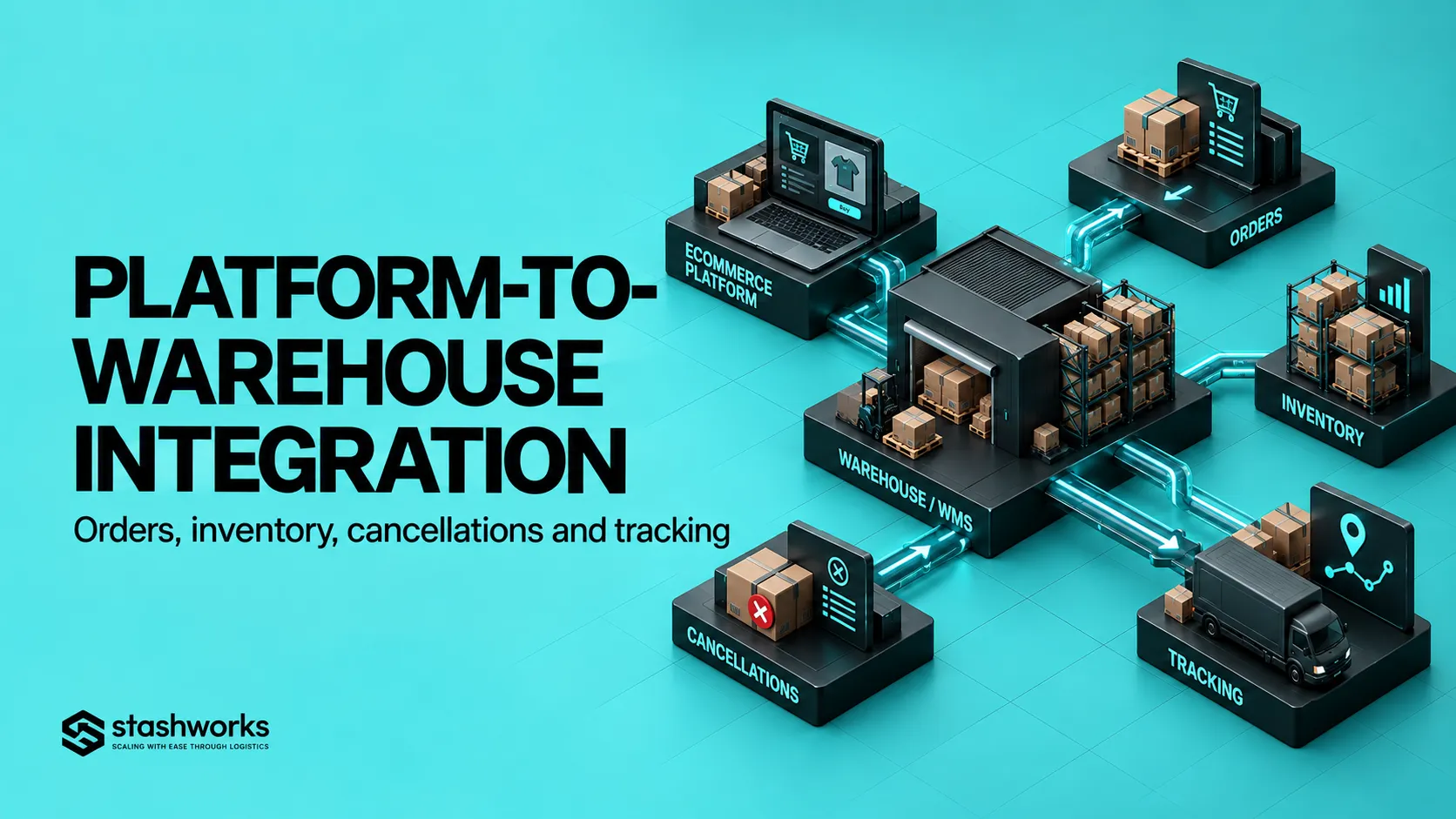
An ecommerce integration is only useful when the full order lifecycle works. Importing a new order into a warehouse is the beginning, not the end. Inventory must stay aligned, cancellations must stop the right orders, fulfilment status must return to the selling channel, tracking must reach the customer journey, and failures must create visible exceptions instead of silent gaps.
A strong integration checklist tests those events deliberately before live volume depends on them.
Start by drawing the system boundary
Identify the storefronts, marketplaces, order-management tools, warehouse system, shipping tools and any middleware involved. For every system, state which data it owns and which data it only receives.
Stashworks' current Technology page describes connected order, inventory, warehouse and tracking flows between supported sales channels and the fulfilment operation. The exact integration behaviour still needs to be confirmed for each setup.
Define product identity before testing orders
Every channel product or variant needs to resolve to the correct warehouse SKU. Test duplicate SKUs, changed variants, bundles and discontinued products before order flow begins.
If the marketplace sends one identifier and the warehouse expects another, the integration needs a controlled mapping rather than manual interpretation. The existing SKU Management guide explains the product-identity layer behind this mapping.
Test a normal new order
Create a standard order with a known SKU, quantity, customer record and delivery method. Confirm it appears once in the warehouse with the correct channel order ID, item mapping and fulfilment instructions.
Retain the identifiers from both systems so later troubleshooting can trace one order end to end.
Test duplicate prevention
Retry the same event or simulate an integration reconnect. The warehouse should not create a second physical order merely because the source event was delivered twice.
Duplicate prevention is especially important when integrations recover after an outage or webhook retry.
Test multi-item, multi-quantity and bundle orders
Use more than one SKU, multiple units of the same SKU and at least one bundle or kit if the business sells them. Confirm line items, quantities and component logic survive the data flow correctly.
A commercial bundle can appear as one listing while the warehouse must pick several component SKUs. The integration must make that relationship explicit.
Test inventory states, not only one stock number
Record inventory in the source system and WMS before placing the test order. Confirm the reservation or availability change appears as expected, then verify the final quantity after fulfilment.
Shopify currently distinguishes on-hand, available, committed, unavailable and incoming inventory states. Whatever platform is used, define which state is exchanged with the warehouse rather than assuming every system means the same thing by “stock”.
The detailed state model is covered in Inventory Statuses Explained.
Test cancellation before warehouse release
Create an order and cancel it while it is still unfulfilled. Confirm the warehouse stops the order and returns any reservation according to the agreed workflow.
Record the latest status at which an automatic cancellation can still be honoured.
Test cancellation after physical work starts
Not every cancellation can be stopped once picking or packing has begun. Test the late-cancellation scenario and define whether the order becomes a warehouse exception, ships anyway, or requires manual intervention.
The commercial platform and warehouse need the same cut-off logic.
Test address and delivery changes
Change the customer address or delivery method before fulfilment where the platform allows it. Confirm whether the warehouse receives the update or whether the order must be cancelled and recreated.
Test an out-of-stock line
Create an order for inventory that is unavailable or insufficient. The integration should not silently lose the line. It should create a visible hold, shortage or exception state with an owner.
Test partial fulfilment and split shipments
When one item can ship and another cannot, verify how the order is split, which tracking number belongs to which fulfilment and how the source platform represents the remaining unfulfilled quantity.
Shopify's current fulfilment workflow supports separate fulfilments when items cannot ship together or when one item is split out for later fulfilment. The cost and customer trade-offs are explored in Split Shipments and Partial Fulfilment.
Test shipment confirmation and tracking
After the warehouse releases the parcel, confirm the channel receives fulfilment status, carrier and tracking information in the expected format.
Stashworks states that fulfilment, inventory and tracking information can flow back into the connected operation where applicable.
Test returns only if the integration is meant to support them
Return workflows vary widely. Confirm whether the sales channel sends return authorisation, whether the warehouse only receives physical returns, and which system determines refund or resale status.
Do not assume the outbound integration automatically covers returns.
Test integration failure visibly
Simulate an unavailable endpoint or invalid test credential in a safe environment where possible. Confirm failures create alerts, logs or retry queues.
A good integration fails loudly enough that operations can act.
Test recovery after the outage
When the connection returns, confirm missed orders are recovered once, inventory events are reconciled and tracking updates are replayed without duplication.
The recovery path should be tested as deliberately as the normal path.
Assign an owner to every failed event type
Order import, SKU mapping, inventory sync, cancellation and tracking failures may have different owners. Document who investigates each class of issue and when it escalates to the platform or 3PL technology team.
The queue-based approach in Warehouse Exception Management helps keep failed events visible until resolution.
Use one acceptance script for go-live
Run the same test cases after configuration changes and before major migrations. Keep expected results, screenshots, order IDs and timestamps.
The integration is ready when difficult events behave predictably, not when one standard order succeeds.
Sources: Stashworks, Technology; Shopify Help Center, Inventory States; Shopify Help Center, Split and Partial Fulfilment.